
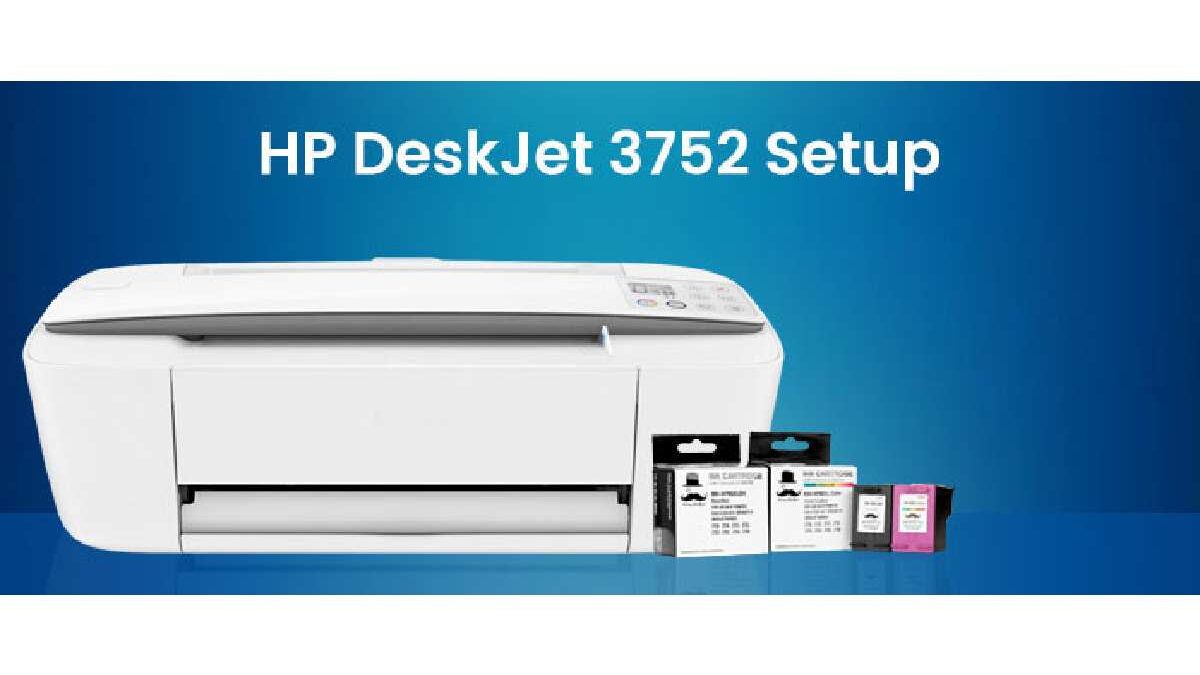
HP Deskjet 3772 – Even as documents become digitised at a high rate, printers have seen no substitutes in homes, small offices and educational institutions. The line has been featured on the HP DeskJet to be appealing to the low-end users who are both price-sensitive of printers and the limited multifunction features of the printers. This report is on the HP DeskJet 3772 All-in-One Printer whose review is founded on the technical specifications, performance, user experiences and positioning in the market.
Table of Contents
Overview and Positioning
HP DeskJet 3772 is a small all-in-one inkjet printer that is aimed at:
- Printing (documents & photos)
- Scanning
- Copying
- Wireless connectivity (Wi-Fi)
It caters to domestic customers and small offices that require light to medium levels of printing. It is large and expensive at the expense of speed and sophistication.
Technical Specifications
The official specs, as shown by HP support and product documentation are summarized in the following table:
Table 1. HP DeskJet 3772 Technical Specifications
| Specification Category | Details |
| Printer Type | HP DeskJet All-in-One (Print/Scan/Copy) |
| Print Technology | HP Thermal Inkjet |
| Print Speed | Up to 8 ppm (black ISO); Up to 5.5 ppm (color ISO) |
| Recommended Monthly Volume | 50–200 pages |
| Print Resolution | Black: up to 1200×1200 dpi; Color: up to 4800×1200 dpi |
| Cartridges | 1 Black + 1 Tri-color |
| Connectivity | Wi-Fi 802.11b/g/n, USB 2.0 |
| Mobile Printing | AirPrint, HP ePrint, Wi-Fi Direct |
| Scanner Resolution | Optical up to 600 dpi |
| Display | 7-segment + icon LCD |
| Power Consumption | ≈ 0.69-2.2 W Standby/Sleep |
| Dimensions | 403 × 177 × 141 mm |
| Weight | 2.33 kg |
| Energy Certs | ENERGY STAR® certified |
| Duty Cycle | Up to 1000 pages/month |
| Recommended OS | Windows/Mac compatible |
| Instant Ink Ready | Yes (optional subscription) |
Design and Build
Compact Form Factor
- The DeskJet 3772 has a small size which makes it fit in a small desktop or on a small space of a desk.
- Weighs a little bit more than 2.3 kg meaning that it can be moved around or used on-the-go.
Physical Layout
- Input/output Trays: 60 sheet input tray and 25 sheet output tray.
- Display: Simple LCD with icons – not enough to have detailed menu usage, only with status messages.
- Controls: Minimal buttons — designed for simplicity rather than full onboard control.
Printing Performance
Print Quality
The DeskJet 3772 provides satisfactory print quality for everyday home use:
| Type | Expected Output |
| Text documents | Clear and legible |
| Color graphics | Vibrant but limited accuracy |
| Photos | Good detail but slower output |
- Maximum optical print resolution is 4800 × 1200 dpi (optimized).
Speed & Efficiency
- The rated speed of up to 8 ppm may feel slow compared to laser printers and higher-end inkjets.
- Color prints take longer due to multiple passes of the printhead.
Use Case Suitability
- Best for occasional prints, school/home documents, and photos.
- Less suited for high-volume or professional printing.
Scanning and Copying Capabilities
Scanner Features
- Scanner Type: Contact Image Sensor (CIS), single-page feeder.
- Resolution: Up to 600 dpi optical.
- Supports scanning via HP Smart app (mobile) or desktop.
Copying
- Copies are done via the printer panel or HP Smart app.
- Maximum of up to 9 copies per job.
Connectivity & Software
Wireless Printing
- Supports Wi-Fi, AirPrint, ePrint, and Wi-Fi Direct.
- Users can print directly from laptops, tablets, and smartphones without USB.
HP Smart App
- Allows setup, scanning, copy, and print tasks from mobile devices.
- Offers subscription linking to HP Instant Ink, which automates ink delivery.
Consumables and Total Cost of Ownership
Ink Cartridges
- Uses HP 65 Black and Tri-color cartridges.
- Replacement yields vary but are limited compared to larger printers.
Instant Ink Subscription
- Optional subscription reduces per-page cost and auto-delivers ink.
- Has environmental benefits via recycling programs.
Cost Considerations
- Low initial unit price.
- Cost per page may be higher due to cartridge size and ink usage patterns.
User Experience & Community Feedback
Positive Feedback
- Compact design praised for space efficiency.
- Wireless setup works well when guided by HP Smart.
- Mobile printing ease.
Challenges Reported
- Wi-Fi connection stability issues — users sometimes struggle with initial setup.
- Some users reported problems with blank pages or ink flow.
- Software and driver compatibility frustrations (e.g., .NET dependency) exist.
Comparative Tables
Table 2. Feature Comparison Against a Typical Home Printer
| Feature | HP DeskJet 3772 | Typical All-in-One (Mid-Range) |
| Print Speed | 8 ppm | ~15–20 ppm |
| Wireless | Yes | Yes |
| Scanner | 600 dpi | 600–1200 dpi |
| Duty Cycle | 1000 pages | 1500–3000 pages |
| Cost | Budget | Midrange |
| Instant Ink | Yes | Varies |
Suitability and Use Cases
Best for:
Home documents
Small office printing
Photo printing occasional (non-professional)
Students
Not ideal for:
Heavy office print volumes
Professional color graphics
Fast document workflows
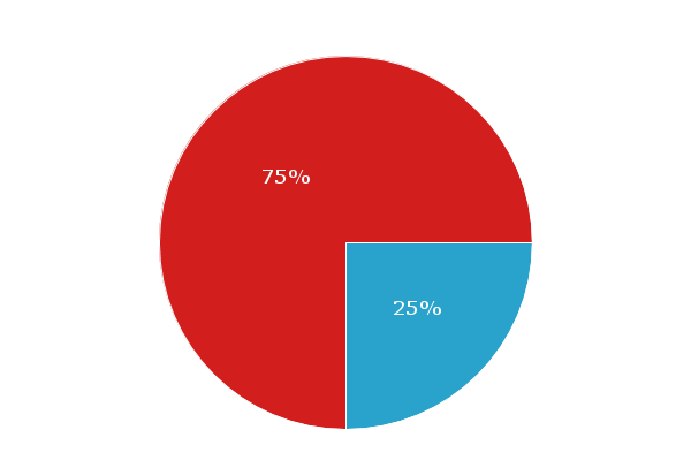
Hypothetical Pie Chart: User Perception Breakdown
Below is a pie chart (text representation) summarizing typical consumer sentiment based on review distributions from general data (e.g., product pages, community forums, review aggregators).
Environmental & Energy Considerations
- The printer is Energy Star® certified, meaning it meets energy efficiency guidelines.
- HP’s recycling programs aim to reduce waste.
Strengths & Weaknesses Summary
Major Strengths
- Very compact size
- Affordable entry-level price
- Wireless & mobile printing
- HP Smart app support
- Instant Ink subscription
Primary Weaknesses
- Slow print speeds
- Relatively high ink cost per page
- Some reported setup and reliability complaints
Conclusion
The HP DeskJet 3772 is a budget-friendly, compact multifunction printer ideal for light home and student use. While it doesn’t deliver high speed or heavy-duty performance, its wireless features and mobile printing capabilities make it relevant for users who prioritize space and cost over throughput.
Whether it’s printing school assignments, occasional photos, or everyday documents, the DeskJet 3772 fulfills basic requirements — but users who need higher volume, faster output, or professional grade color reproduction should consider more capable models.