
Table of Contents
About Kimfly
Kimfly is known in many countries as a low-cost mobile phone brand that sells:
- Feature phones
- Basic Android smartphones
- Accessories such as chargers and earbuds
These phones are usually:
- Affordable and designed for basic use
- Popular in developing and emerging markets
- Used mainly for calling, messaging, and simple apps
- Produced by smaller manufacturers or OEM companies, mostly in China
What Does “Pairing” Kimfly Mean?
Pairing refers to establishing a wireless or software connection between your Kimfly device and another device — whether it’s a smartphone, computer, Bluetooth accessory, or a development environment like Android Studio.
For most users, pairing occurs either through:
- Bluetooth, for connecting speakers, earphones, or keyboards.
- Wi-Fi, for network connections or mobile development.
- Developer Mode & USB Debugging, for app testing, advanced configurations, and data transfer.
This guide covers all these aspects in detail and explains how to use Developer Options to unlock advanced pairing capabilities.
Key Features of Kimfly Phones
Here’s a summary table of key features commonly found in Kimfly phones (across various models) — based on typical specifications from several Kimfly models like the E6, Z7, Z50, Z10, Evo 501, and other Kimfly phones:
| Feature | Typical Kimfly Phones |
| Operating System | Android (often older versions like KitKat, Lollipop) |
| Display Size | ~3.5″ to 5.0″ touchscreen (HVGA/HD) |
| Screen Resolution | 480×854, 800×480 or similar |
| Processor | Basic single-core or quad-core entry-level CPUs |
| RAM | ~256 MB to 1 GB (varies by model) |
| Internal Storage | 2 GB to 16 GB (expandable via microSD) |
| Battery | ~1,000 mAh to ~2,800 mAh removable battery |
| Rear Camera | 2 MP to 13 MP (varies widely) |
| Front Camera | Often 1.3 MP or 5 MP |
| SIM Support | Dual SIM in most models |
| Connectivity | Bluetooth, Wi-Fi, 2G/3G (few support 4G) |
| Extras | Expandable storage, FM Radio, 3.5 mm jack |
Understanding Your Kimfly Device
Kimfly phones are budget Android smartphones with essential connectivity features such as:
- Bluetooth support
- Wi-Fi support
- Developer options through Android settings
The exact specs vary by model — for example, the Kimfly E1 runs Android 4.2.2 and supports Bluetooth and Wi-Fi connectivity, making it capable of standard Android pairing tasks.
How to Pair kimfly?
Preparing Your Kimfly for Pairing
Before pairing:
- Charge the Device
Make sure your Kimfly is fully charged, or at least above 50%. This minimizes disruptions during pairing and ensures Bluetooth, Wi-Fi, and screen functions stay active. - Turn On Bluetooth/Wi-Fi
Go to Settings > Connected devices > Bluetooth (or Settings > Wi-Fi) and enable them. - Install Required Apps
If you’re pairing with an app (e.g., companion app), download it first on your smartphone or tablet.
Kimfly (Aerospace Company)
Kimfly D.O.O. is a well-known European company in the aerospace and adventure sports industry, especially for designing and manufacturing paragliders and safety equipment. It is based in Slovenia, a country famous for outdoor sports and aviation technology.
| Aspect | Details |
| Company Name | Kimfly D.O.O. |
| Founded | 1986 |
| Headquarters | Vodice, Slovenia |
| Industry | Aerospace and Aviation Sports |
| Business Type | Aircraft and Paraglider Manufacturer |
| Legal Structure | Limited Liability Company |
| Founder / Early Collaboration | Early designs developed with Michaël Nessler |
| Core Specialization | Design and manufacturing of paragliders |
| Key Products | Paragliders, rescue parachutes, and flight safety equipment |
| Target Customers | Beginner and professional pilots, flight schools, adventure sports enthusiasts |
| Technology Focus | Lightweight materials, aerodynamic design, and safety |
| Global Presence | Europe, Asia, America, and adventure tourism regions |
| Certifications | Safety-tested and certified aviation sports equipment |
| Market Segment | Recreational aviation and air sports |
| Distribution | International dealers and training centers |
Example of Kimfly Company
Here are some examples of Kimfly (Aerospace / Paragliding) related companies and dealers in India. These companies do not manufacture Kimfly products, but they import, distribute, or sell European paragliding equipment like Kimfly wings and safety gear.
India
| Company Name | Location | Role / Services | Details |
| Albatross Flying Systems | Bengaluru, Karnataka | Distributor & training | Supplies imported paragliders and aviation sports equipment |
| Flyboy Aviation Pvt Ltd | New Delhi | Dealer & aviation support | Imports paragliders, accessories, and flight gear |
| R&R Adventures | Delhi | Dealer for civil and military | Offers aerospace sports products and training |
| Paradreams Adventures | India | Adventure and flying services | Provides paragliding training and imported wings |
| Vertical World | Hyderabad | Dealer & adventure sports | Sells and supports international paragliding brands |
UK
| Company Name | Location | Role / Services | Details |
| UK Airsports | Cumbria, England | Distributor & supplier | Supplies international paraglider brands and aviation sports gear |
| Flybubble | England | Retailer & specialist store | Offers paragliders, harnesses, accessories, and expert advice |
| Sky Paragliding | United Kingdom | Training & equipment | Provides pilot training and European flying gear |
| With Flying Colours Ltd | Surrey, England | Retail & dealer | Sells paragliding and aviation sports equipment |
| Freefall Gear Store Ltd | Cambridge, England | Aviation gear supplier | Supplies safety and flight equipment |
Europe
| Country | Company / Distributor | Location | Type of Service | Key Focus |
| France | Kimfly Europe | Grenoble | Headquarters & Manufacturing | Paragliders, paramotors, accessories |
| Germany | Kimfly Deutschland | Bavaria | Authorized Dealer | Sales, pilot training, support |
| Switzerland | Kimfly Swiss | Zurich | Distributor | Premium paragliding equipment |
| Spain | Kimfly Spain | Barcelona | Dealer & Service | Paramotor equipment, training |
| Italy | Kimfly Italia | Milan | Sales & Support | Paramotor and paragliding gear |
| Poland | Kimfly Poland | Warsaw | Authorized Distributor | Affordable paramotor solutions |
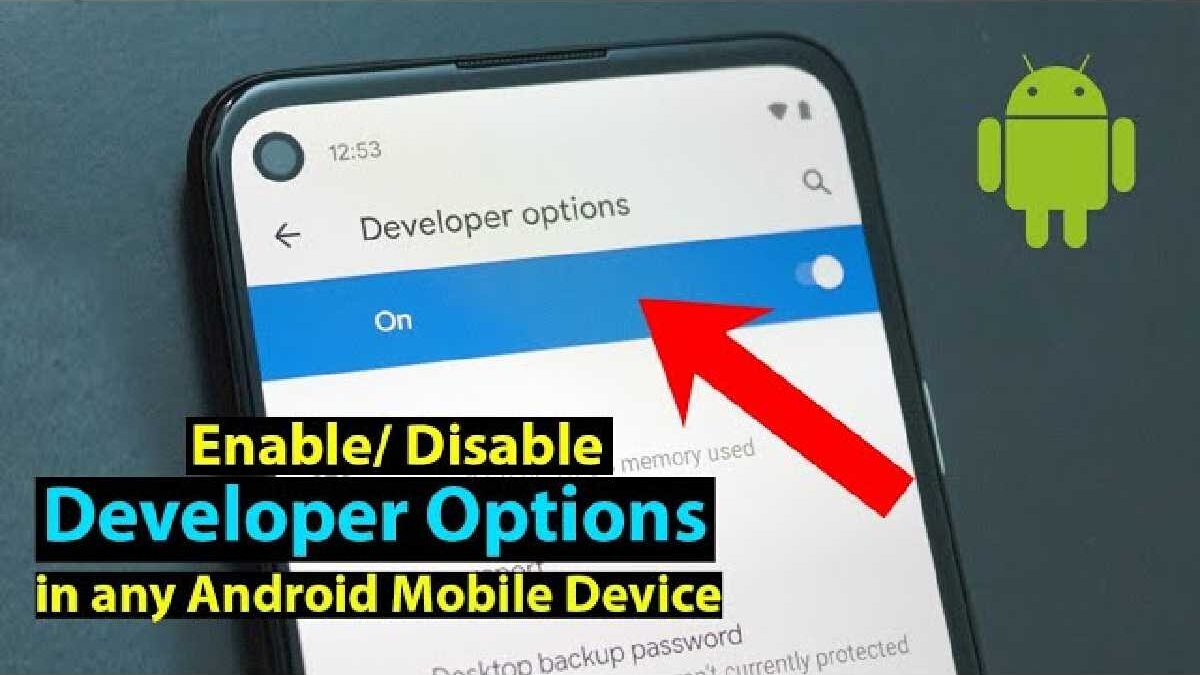
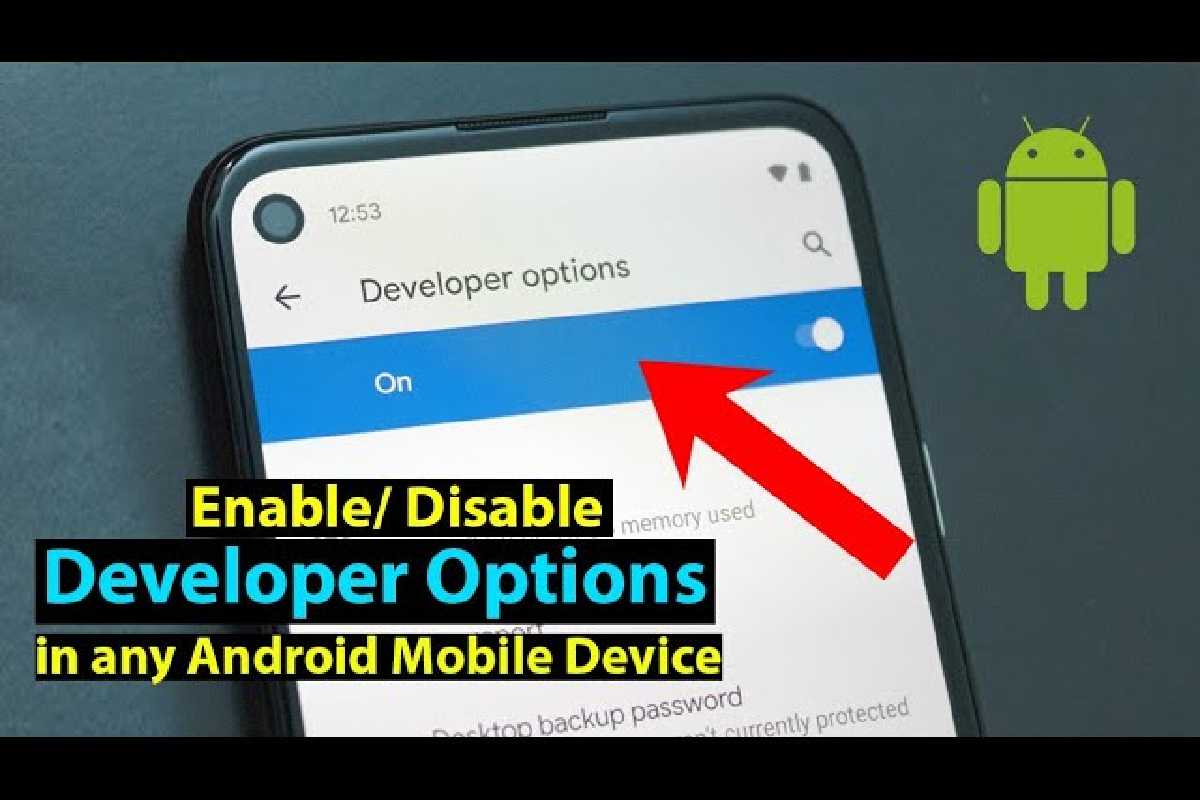
How to open Developer Options in KIMFLY Z3?
Hold down the Power key for a brief period to turn the gadget on.
- The next step is to discover and choose Settings from the Main Menu, then click on About device.
- To become a developer, tap the Build number seven times.
- Excellent! The Developer Options have just been activated.
Google Play Errors in KIMFLY Z3
- You may occasionally encounter issues and mistakes when using the Google Play store.
- The following article will explain how to quickly and correctly fix the most typical Google Play App issues.
Google Play Store Error 403
This issue arises when you attempt to download a program and are informed that access is restricted.
When attempting to download apps using several Google Play accounts on a single device, Error 403 frequently appears.
Dealing with this problem has a fairly straightforward answer. It would help if you made the proxy’s information obvious. To accomplish it, take the following actions:
Go to Settings
Select Connections, then select More networks.
- Restore KIMFLY Z3
then click Mobile Network and APN (Access Point Name). - KIMFLY Z3 screen password removal
Finally, locate the Reset to Default or Clear Proxy option and tap it.
You can quickly locate and choose to reset all network settings on newer Android phones.
As the cause of Error 403 varies, you can try the alternate technique if this one doesn’t work:
- Create a new Gmail Account.
- KIMFLY Z3 screen lock removed
- Launch the Google Play Store.
- Then locate and choose Accounts from the Google Play menu.
Remove all data from the KIMFLY Z3 forever.
Lastly, select a different Gmail account (the one that you created)
You can attempt to install the chosen program once more after completing all of these steps.
Google Play Store Error 492
This issue prevents the installation of programs because Davlika’s cache is malfunctioning. Fortunately, the answer is also straightforward.
- Go to Settings first.
- Select the All Tab in Application Manager.
- Reset KIMFLY Z3 firmly
- Find the Google Play application.
- KIMFLY Z3 hard reset
- Select Storage and Clear tap cache in the final step.
- Error 495 in the Google Play Store
- This type of issue occurs when you download or update apps from Google Play.
- Clear the Google Play data from Settings to solve this issue.
Additionally, you must log back into the store and clear the data from the Google Play services.
You can try deleting your Gmail account associated with your Android smartphone once more if the above procedure doesn’t work.
Following that, it is advised to restart your phone and log in once more.
Google Play Store Error 498
- The interruption of the app download process is the result of this mistake. It appears when our smartphone’s memory is full.
- The answer is straightforward: clear out unused apps and files from the smartphone to free up some space. Use the Application Manager if you want to remove some applications.
Google Play Store Error 919
- When you try to launch an application that you previously downloaded from Google Play, but it won’t start, this error message shows.
- In such a scenario, you’ll also need to upgrade the memory on your tablet or smartphone. After that, it is a good idea to uninstall and reinstall the downloaded application.
Google Play Store Error 921
- It makes it impossible to download apps from Google Play. How can this issue be resolved?
Clear Google Play’s cache similarly to error 492. - Additionally, you can log out of Google Play. After that, restart your phone and sign back into Google Play.
Typical Pairing Problems and Fixes
| Problem | Likely Cause | Fix |
| Device not showing in Bluetooth list | Bluetooth not discoverable | Toggle Bluetooth OFF and ON; restart device |
| Pairing fails repeatedly | Conflicting previous pairing data | Forget device from both ends and retry |
| Wi-Fi not connecting | Wrong password or weak signal | Re-enter password or move closer to router |
| Developer options missing | Not enabled yet | Repeat tapping Build number steps |
| USB Debugging won’t stay active | Security prompt declined | Re-enable Developer Options and confirm prompt |
Most problems are solved by resetting Bluetooth or Wi-Fi and restarting your device.
Pairing Checklist: Step by Step
Whether you’re pairing a Bluetooth device or a developer environment:
- Charge your Kimfly and the accessory.
- Make sure wireless radios (Bluetooth/Wi-Fi) are ON.
- If pairing for development, enable Developer Options and USB Debugging.
- For Bluetooth: scan and pair.
- For Wi-Fi: connect to the network or turn on hotspot.
- Confirm any pairing prompts.
- Test the connection (play sound, send data, run app).
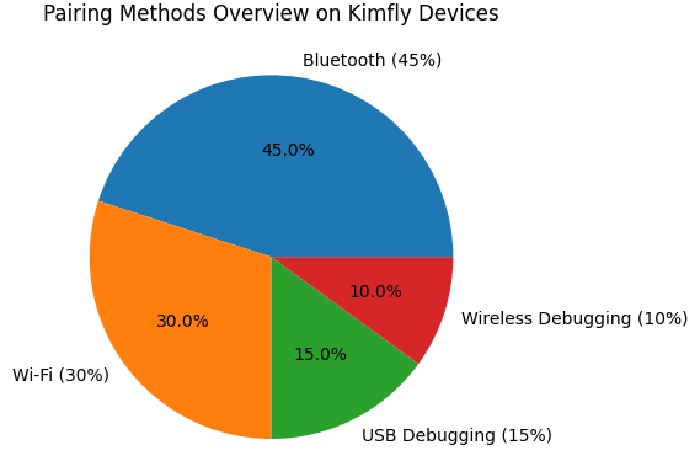
Pie Chart: Pairing Methods Overview
To help visualize the primary pairing methods, here is a simple pie chart breakdown of how people commonly pair Kimfly devices:
Safety and Security Considerations
- Only pair with trusted devices.
- Turn off Bluetooth when not in use to save battery and minimize access.
- For sensitive data or app development, use USB Debugging with care.
- Developer Options can expose settings that affect stability — only toggle recommended features.
Summary & Best Practices
Pairing your Kimfly device shouldn’t be complicated. The key takeaways:
- Always start with enabling Bluetooth or Wi-Fi.
- For development tasks, always enable Developer Options and USB Debugging.
- Restart and reset pairing data if connectivity issues occur.
- Carefully manage device security.
By following the above structured steps, you can pair your Kimfly device with nearly any supported technology — from Bluetooth accessories to developer tools.